
The Chrome extension that syncs your LinkedIn activity with Capsule CRM
Capsule stays simple, and now LinkedIn feeds it. One click saves a profile as a person with their organisation and LinkedIn link, your LinkedIn conversations land as notes on that person, and every profile you open shows their Capsule notes, tasks and opportunities. No copy and paste, and no Sales Navigator seat.

Why Capsule teams need this on LinkedIn
Capsule is the CRM small teams pick because it stays simple. The conversations still happen on LinkedIn, though, and Capsule has no way to pull a profile in. So people get typed in by hand, the LinkedIn link gets pasted into a website field when someone remembers, and the conversation that started it all stays on LinkedIn.
Ln2CRM for Capsule closes that gap on the LinkedIn page. It tells you if a profile is already in Capsule, saves the person and organisation in one click, copies the LinkedIn conversation into a Capsule note and lets you open an opportunity without switching tabs. It is its own extension in the Chrome Web Store, with the same Ln2CRM account and plans.
From install to first record
Add Ln2CRM for Capsule to Chrome
Install it from the Chrome Web Store and sign in. It opens as a panel on LinkedIn and Sales Navigator profiles and company pages.
Connect Capsule
In Settings, click Connect Capsule, log in on Capsule's own page and pick your Capsule site. We never see your password, and you can revoke access in Capsule whenever you like.
The LinkedIn link has a home
Every person and organisation you save gets their LinkedIn page as a LinkedIn website on the record, the way Capsule shows social links. No custom field to set up first.
Badges as you browse
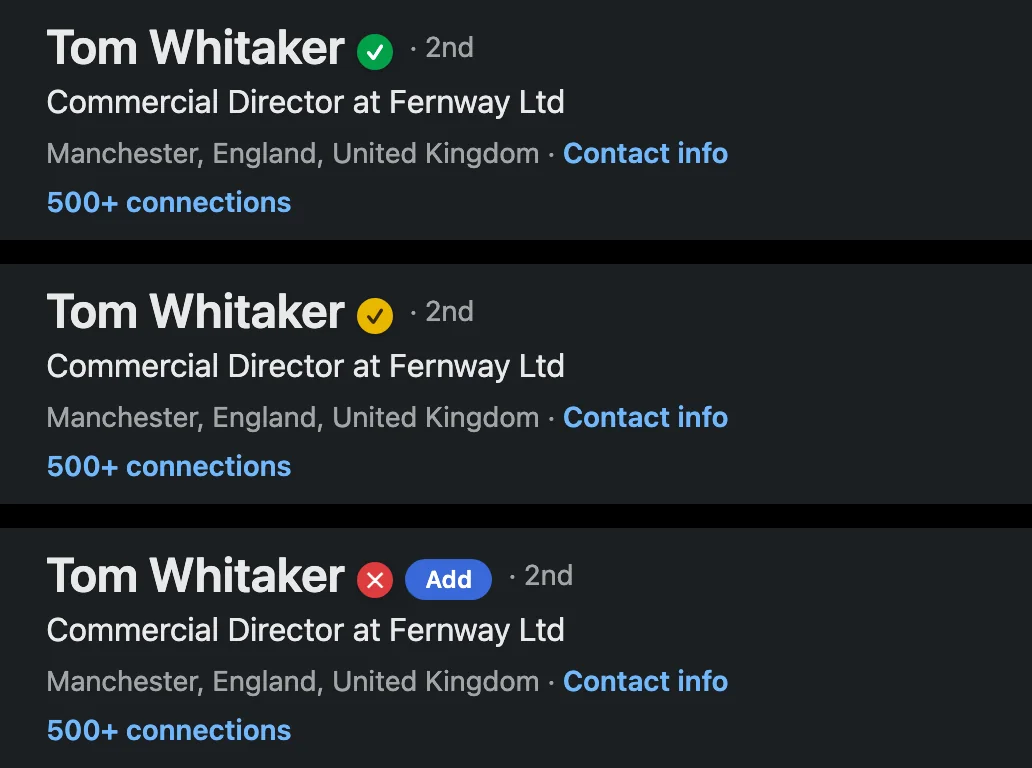
Green means the person is in Capsule, red means nobody has saved them yet. When LinkedIn shows a newer job title or company than your record, the badge turns yellow. Prefer a clean LinkedIn? Switch badges off in Settings.
Email finder included
Empty Email field? Click the sparkle and Ln2CRM finds the work email and checks it. It comes with every plan, 5 found emails a month on Free. Business emails only by default.
Open a profile
Open any profile. You get the Capsule match with its notes, tasks and opportunities, or a filled in card ready to save.
Add a person to Capsule in one click
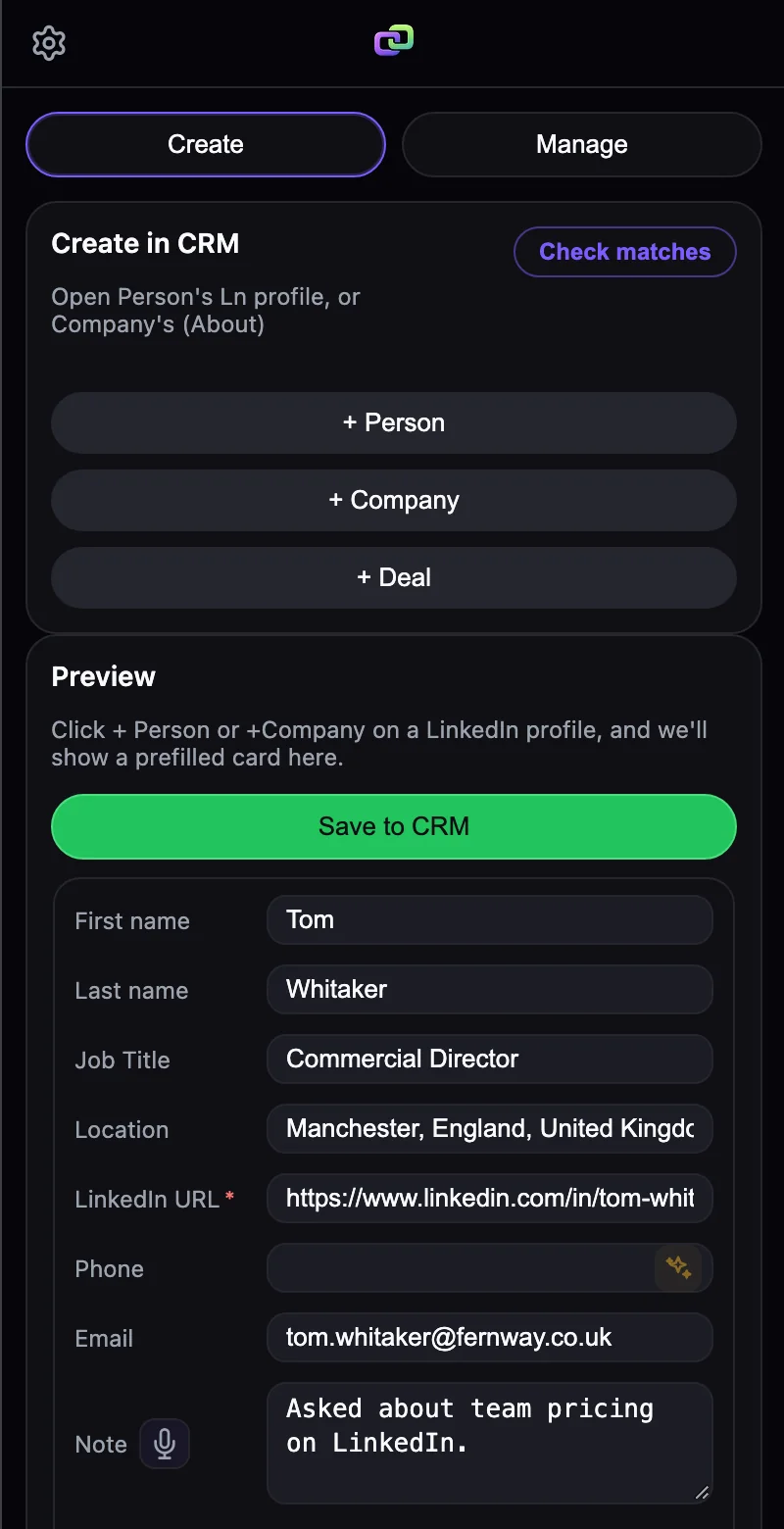
+ Person reads the profile, so nobody retypes anything. You glance at the card, fill a custom field if your team uses one, and save. The organisation comes along in the same click.
Name, job title, location and the LinkedIn link arrive on their own.
Pick an organisation you already have in Capsule, or create it from its LinkedIn company page with the website and LinkedIn link filled in.
Capsule custom fields show up right in the card, lists and dates included, so the record is complete the moment it lands.
The sparkle finds the work email and checks it before you save.
 Ln2CRM
Work the Capsule record from the LinkedIn tab
The Manage tab turns the LinkedIn page into a small Capsule screen. Read what your team already logged before you write a word, then add to it.
The Capsule history sits next to the profile, so you don't send the same follow up twice.
Change the job title, phone or a custom field from the panel. One save, and you're back on LinkedIn.
One click jumps to the person, organisation or opportunity in Capsule when you need the full view.
Ln2CRM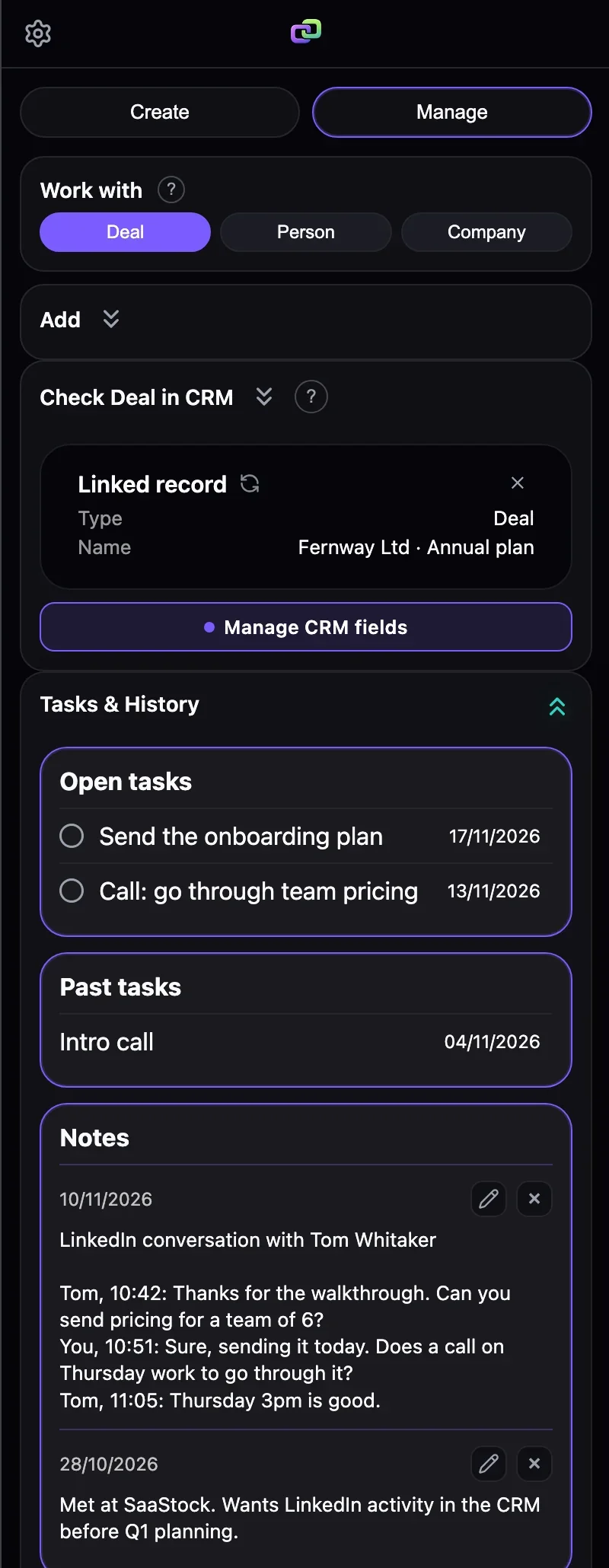
Spot who is already in Capsule while you scroll
No need to open the panel for this. Ln2CRM marks profiles, search results and conversations as you scroll, so a page of results tells you in seconds who's in Capsule. On a Sales Navigator lead list, tick the new ones and click Add to CRM to save them in one go.
Already saved. Click the badge and the record opens.
Nobody has saved this person yet. If they fit, they're yours to add.
The record is there, but the job title or company moved on LinkedIn. The panel shows the Capsule value next to the new one, and one click brings Capsule up to date.
Built around how Capsule works
Capsule has its own way of doing things, and the extension follows it instead of forcing another CRM's model on it.
When a chat turns into a deal, add the opportunity on the person or organisation with its value, pipeline and milestone, plus a first note and a follow up task. The value uses your Capsule currency.
Capsule search doesn't look inside website links, so a plain search for a LinkedIn URL finds nothing. Ln2CRM keeps its own index of the LinkedIn websites on your people, then checks a LinkedIn custom field if you have one, then email and name. People saved before you installed are found too.
People join an organisation you already have, so you don't end up with three spellings of the same company.
Where each LinkedIn detail ends up in Capsule
This is where the LinkedIn data goes. Nothing to map before your first save.
| From the LinkedIn page | Capsule record | Field |
|---|---|---|
| Full name | Person | First name, Last name |
| Current role | Person | Job title |
| Company | Organisation | Name, linked to the person |
| Location | Person | Address |
| Profile URL | Person | Website of type LinkedIn, used for duplicate matching |
| Company page URL | Organisation | Website of type LinkedIn, plus the company website |
| Email and phone | Person | Email address, Phone number (email found by Ln2CRM) |
| LinkedIn conversation | Person | Note, each message with its sender and real send time |
| Your notes | Person, Organisation or Opportunity | Note on the record |
| Follow up | Task | Description and due date, linked to the record |
| Deal | Opportunity | Name, value, pipeline, milestone |
How the Capsule connection works
Ln2CRM connects through Capsule's own OAuth and acts only as the user who connected it.
You log in on Capsule's page and approve read and write access once. We hold a token, never your password, and revoking it in Capsule stops the connection at once.
It reads and writes people, organisations, opportunities, tasks and notes as the connected user, within what that user can do in Capsule.
Ln2CRM reads only the LinkedIn page you have open. It never automates LinkedIn, never sends messages for you and never resells your data.
Have questions for a security review? Email admin@ln2crm.com.
How Capsule teams put it to work
Pricing for Capsule teams
The same plans as Ln2CRM, and one account works in both extensions. The pricing page has the details.
15 Create and 15 Manage actions and 5 found emails a month. Message sync included. No card, and no trial that ends.
Start Test free. No CCFor people on LinkedIn every day: 500 Create and 500 Manage a month.
Choose BaseAdds the AI copilot that answers from your own CRM history.
Choose ProFAQ
How do I add a LinkedIn profile to Capsule CRM?
Is it a different extension from Ln2CRM?
Where does the LinkedIn URL go in Capsule?
How does duplicate prevention work?
Can I sync LinkedIn messages to Capsule?
Can I create opportunities from LinkedIn?
Is the Capsule connection safe?
Is there really a free tier?
Put Capsule inside LinkedIn
Install Ln2CRM for Capsule, connect your Capsule site, open a profile you care about and save your first person while it's still on screen.