
Your HubSpot, one click away in Chrome
A small HubSpot assistant in your browser's side panel. Look up a contact and see everything your team logged, add a note or a task without opening HubSpot, keep a chat with that person in one tidy note, and draft the next message from what HubSpot already knows.
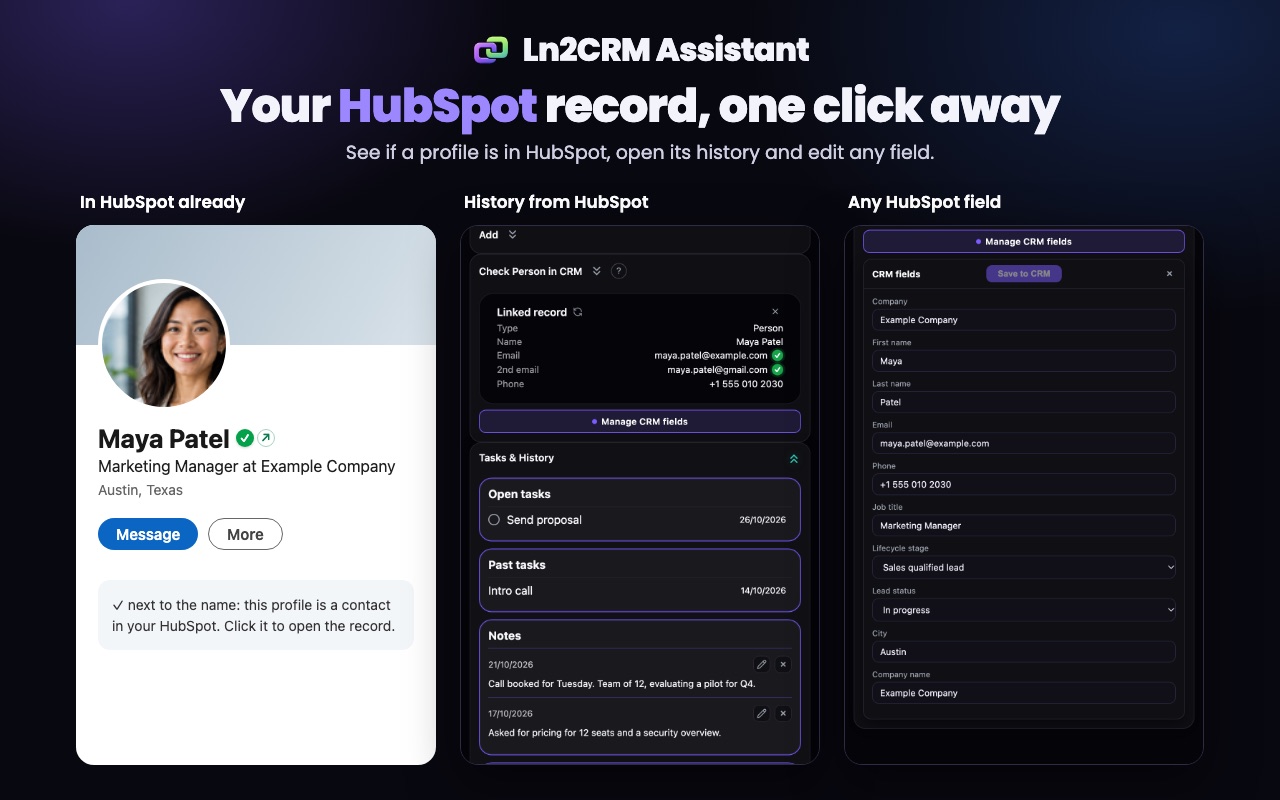
The whole HubSpot record, without the tab
Search a person, company or deal by name, or open a contact's profile page, and the assistant links the HubSpot record. Everything your team logged is right there.
Open and past tasks, notes and emails of the record, newest first, read straight from HubSpot.
Lifecycle stage, lead status, owner, your own custom properties: edit them in the panel and save to HubSpot.
The contact's email and a second address from HubSpot get a deliverability check, so you know before you write.
Contacts, notes, tasks and chats in seconds
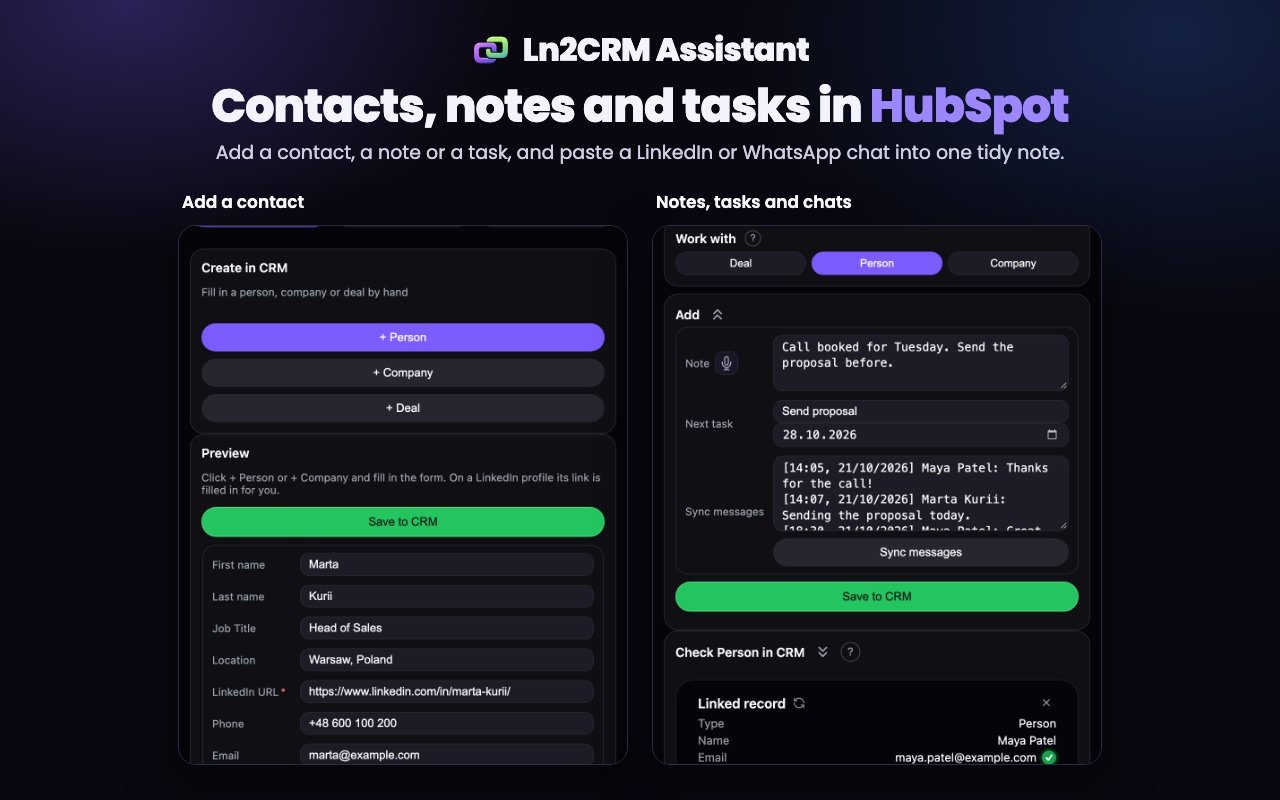
Keep HubSpot up to date while the conversation is still fresh, from whatever page you are on.
Fill in a short form and save. The assistant checks HubSpot first so you do not create a twin.
Type a note, set the next task and its date, save both to the linked record in one click. Dictate the note if typing is slow.
Copy a LinkedIn or WhatsApp conversation and paste it in. It becomes one note with every message, its sender and time. Paste again later and only the new messages are added.
Create a deal in the right pipeline and stage, linked to the contact and company.
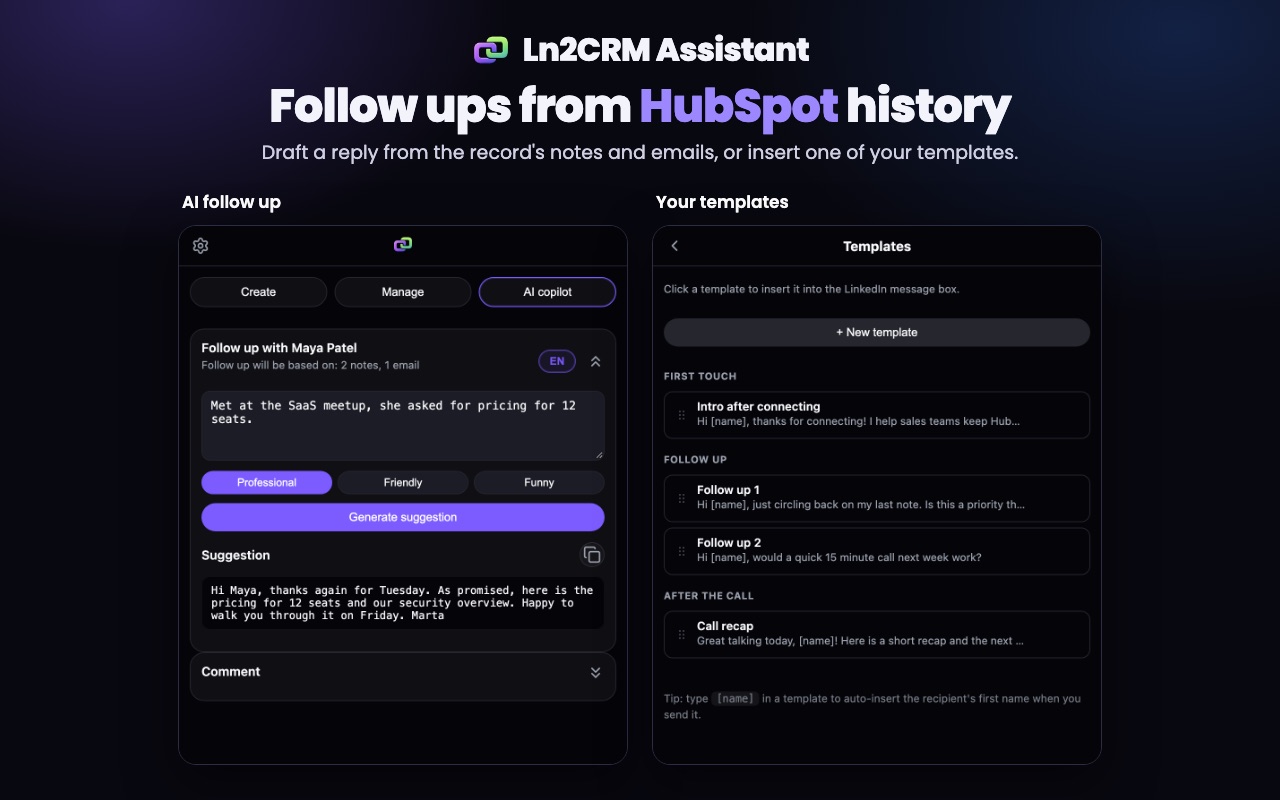
Follow ups written from your HubSpot history
The AI copilot reads the record's notes and emails, adds what you type, and drafts the next message in your tone. You copy it and send it yourself.
Drafts use what HubSpot knows about the person, not guesses. The panel shows how many notes and emails it used.
Keep message templates in groups and insert one with a click. [name] becomes the first name of the HubSpot contact.
How it works
Add it to Chrome
Install Ln2CRM Assistant from the Chrome Web Store. It lives in Chrome's side panel.
Connect HubSpot
Sign in with HubSpot and approve access once. Your HubSpot password never reaches us.
Link a record
Search by name, or open a contact's profile page and let the assistant find the matching HubSpot contact.
Work from the panel
Read the history, add notes and tasks, keep chats, update fields and draft follow ups.
Built around your HubSpot data
The assistant works with what is already in your HubSpot and what you type or paste. It does not read the pages you browse, and it does not look up emails from outside sources.
Plans and prices
Start free. Every limit is on the pricing page.
15 Create and 15 Manage actions a month, no card.
500 Create and 500 Manage a month, $13 a month billed yearly.
Higher limits and the AI copilot for follow ups, $18 a month billed yearly.
FAQ
Does it work with the free HubSpot CRM?
What does the assistant read in my browser?
How do I save a LinkedIn or WhatsApp chat to HubSpot?
Does the AI send messages for me?
Does it find email addresses?
How do I connect HubSpot?
Keep HubSpot one click away
Install the assistant, connect HubSpot and link your first contact in a minute.